Key Takeaways
Option A
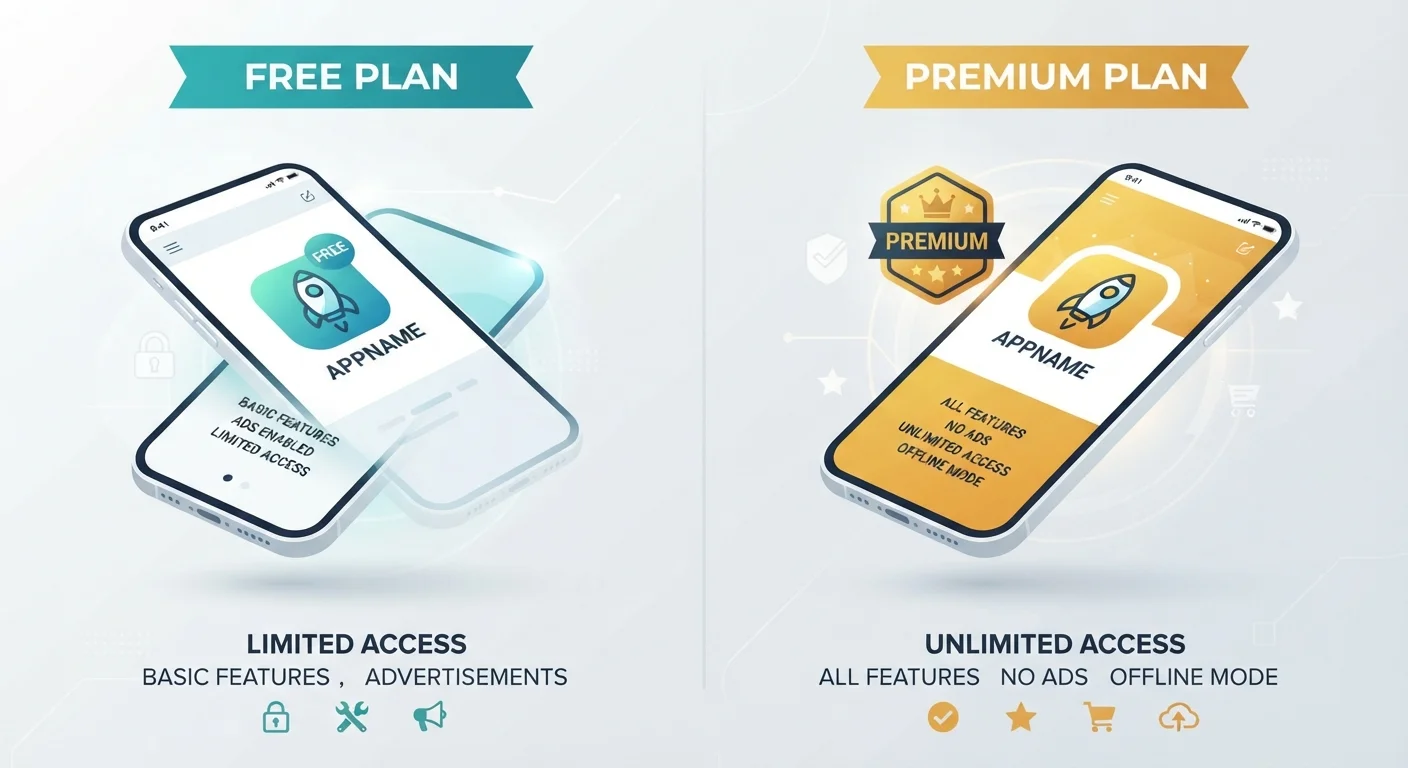
Free App Tier
The no-cost entry point with strings attached.
Best for: Users who want to try an app before committing or need only basic functionality without spending money.
Option B
Paid App Subscription
Full access in exchange for recurring fees.
Best for: Users who rely on an app regularly and need complete features, fewer interruptions, and stronger privacy protections.
If you only need an app occasionally or want to test it first
Free App Tier
Light or exploratory users rarely hit the limits of a free tier. Starting free lets you confirm the app fits your needs before any financial commitment.
If you use an app daily and find the free version's ads or feature walls frustrating
Paid App Subscription
Regular users typically recoup the subscription cost in convenience and time saved, plus they usually gain stronger privacy protections.
If you want full features without an ongoing bill
Free App Tier
Look for apps that offer a one-time purchase model - a declining but still available option for productivity and utility software.
If privacy and data use are a top concern
Paid App Subscription
Paid tiers are less likely to rely on advertising or data brokering to generate revenue, since your subscription fee covers the business model directly.
How App Pricing Models Actually Work
When you download an app labeled "Free," you're not necessarily getting something with no cost attached - you may simply be paying in a different currency: your attention, your data, or your patience with feature limits. App developers use several distinct pricing structures, and knowing which one you're dealing with changes how you should evaluate the app.
Freemium is the most common model. The app is free to download and offers a genuine subset of features at no charge. Additional features - more storage, advanced tools, or an ad-free experience - sit behind a paywall. The free version is functional but intentionally limited to encourage upgrades.
Free trials give you full access for a set period (commonly 7 or 14 days), then require payment to continue. These are often confused with permanent free tiers but are fundamentally different - the clock is always ticking. Watch for trials that require a credit card upfront and auto-convert to a paid plan when the trial ends.
One-time purchases (also called perpetual licenses) let you pay once for a specific version of the app. You own that version indefinitely, but major new versions may cost extra. This model has become less common as developers shift toward subscriptions for more predictable revenue. For a plain-language breakdown of how software ownership works, see Understanding Software Licenses in Plain English.
| Criterion | Free App Tier | Paid Subscription |
|---|---|---|
| Upfront cost | None | Monthly or annual fee |
| Feature access | Limited or restricted | Full or near-full |
| Advertising | Usually present | Typically removed |
| Data collection likelihood | Higher (funds the model) | Lower (fee funds the model) |
| Auto-renewal risk | Not applicable | Yes - requires active management |
| Best suited for | Occasional or exploratory use | Frequent, reliant use |
What Free Apps Get in Return
A free app has to generate revenue somehow. The two most common mechanisms are advertising and data collection. Ad-supported apps display banners, interstitials, or video ads during use. This is straightforward and visible. Data-driven monetisation is less obvious: the app may collect behavioral data - what you tap, when you use it, what content you engage with - and share or sell aggregated profiles to advertisers or data brokers.
This matters especially for apps in sensitive categories. Dating apps, for instance, collect detailed behavioral and preference data; Dating Apps Explained walks through exactly how that data pipeline works. Similarly, it's worth understanding what permissions a free app requests before you grant them - what app permissions actually mean explains what camera, microphone, and contact access really implies.
Free apps may also show signs of overreach beyond what their stated purpose requires. Signs an App May Be Doing More Than It Claims covers red flags to watch for in any tier, free or paid.
79%
Apps using freemium model globally
According to Statista research, the large majority of consumer apps worldwide use some form of freemium pricing rather than upfront purchase.
$32/month
Average US consumer app subscription spend
Research from various consumer finance surveys has estimated average monthly app subscription costs for US adults range from the mid-$20s to mid-$30s, often without full user awareness.
Managing Subscriptions and Avoiding Unwanted Charges
Paid subscriptions are convenient but can accumulate quietly. Most app stores - Apple's App Store and Google Play - provide a central dashboard where you can review, pause, or cancel active subscriptions. Making a habit of checking this list every few months is a practical way to avoid paying for apps you've stopped using.
A few principles worth keeping in mind:
- Annual plans are cheaper per month but harder to cancel mid-term. Many services don't offer prorated refunds if you cancel early.
- Auto-renewal is on by default. You typically need to actively turn it off before the renewal date to avoid being charged.
- Free trials that require a card upfront will charge you automatically unless you cancel before the trial ends. Set a calendar reminder the day you sign up.
Subscription spending is worth tracking as part of broader financial habits. If digital subscriptions are accumulating and affecting your budget, resources on saving and debt strategies can help you think through where recurring costs fit in your overall picture.
Keeping apps updated also matters for paid users: paid tiers usually include current security patches, while some free tiers may lag on updates.
One-Time Purchase vs. Subscription: A Disappearing Option
The one-time purchase model - pay once, own forever - has become rare in mobile apps, though it still exists in some desktop software and utilities. If lifetime ownership matters to you, it's worth checking the app's pricing page carefully before downloading, as the default listing on app stores often emphasises subscriptions even when a perpetual option exists. Developers have generally shifted to subscriptions because they generate more consistent revenue, which funds ongoing development.