

Key Takeaways
Our Verdict
Bluetooth and Wi-Fi are complementary technologies, not competitors. Bluetooth excels at simple, close-range device pairing with minimal battery drain, while Wi-Fi delivers the bandwidth and range needed for internet access and data-heavy tasks. Understanding which job each was designed for removes a lot of everyday tech confusion.
| Best for | Recommended |
|---|---|
| Connecting peripherals like headphones, keyboards, or speakers | Bluetooth |
| Streaming video, browsing the web, or connecting to the internet | Wi-Fi |
| Smart home sensors and wearables that need long battery life | Bluetooth (especially Bluetooth Low Energy) |
| Households with many devices needing simultaneous network access | Wi-Fi |
The Same Ingredient, Very Different Recipes
Both Bluetooth and Wi-Fi are wireless technologies that transmit data using radio waves - invisible pulses of electromagnetic energy traveling through the air. That shared foundation is why people often treat them as interchangeable. But the similarity stops at the physics. Each technology was engineered with a completely different problem in mind, and those original design goals shape everything about how they behave today.
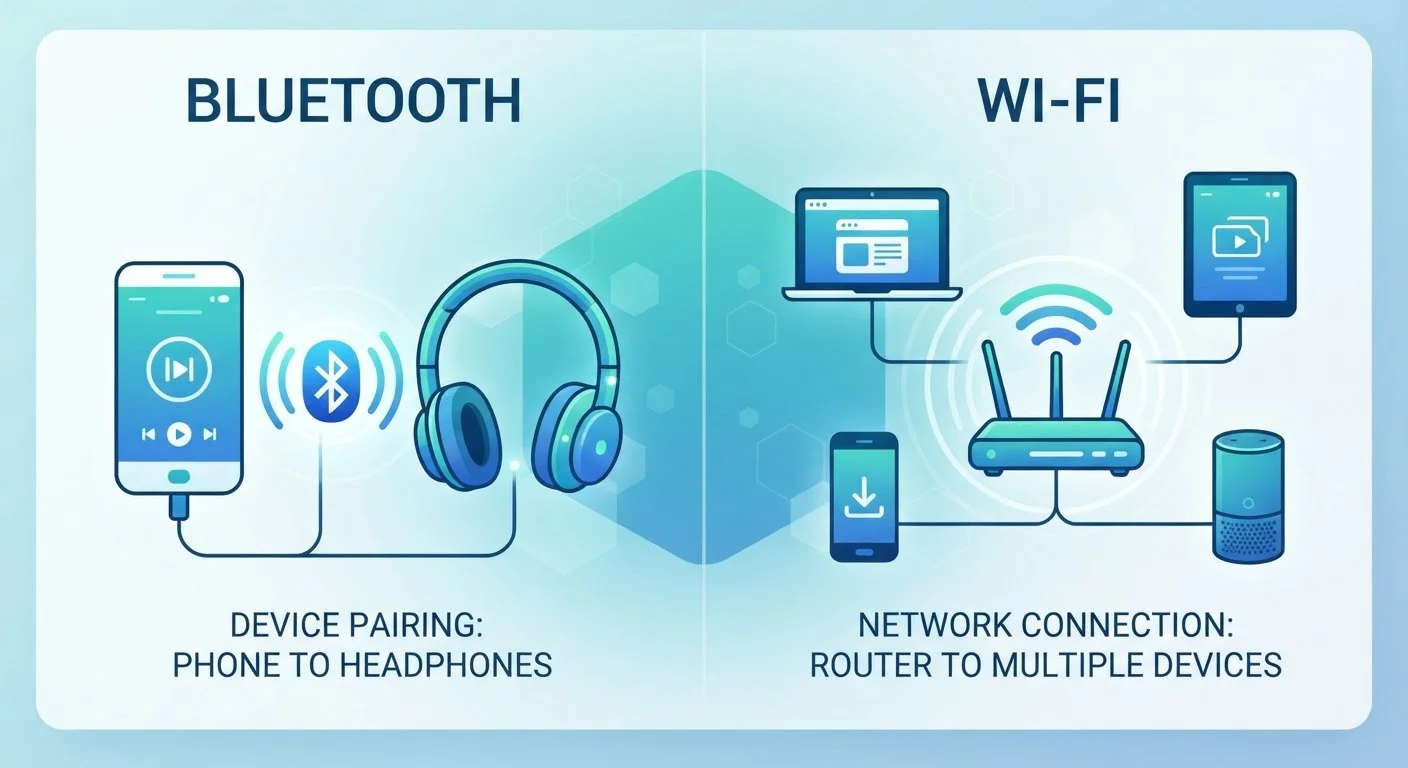
Wi-Fi was built to solve a network problem: how do you let devices access a local network - and through it, the internet - without physically plugging them in? Bluetooth was built to solve a cable problem: how do you replace the short wire connecting a phone to a headset, or a computer to a keyboard?
Those are genuinely different problems, and the solutions are genuinely different tools. For a deeper look at how Wi-Fi handles its side of the bargain, see our plain-language Wi-Fi explainer which covers how radio waves carry your data and why distance and walls affect performance.
How Each Technology Actually Works
Bluetooth operates on the 2.4 GHz radio band and uses a technique called frequency hopping - it rapidly switches among 79 different channels dozens of times per second. This makes it resistant to interference and keeps the connection stable even in environments crowded with other wireless signals. It's intentionally low-powered, which is why your wireless earbuds can last hours on a tiny battery. Range is typically limited to about 30 feet (10 meters) for standard Bluetooth, though newer versions and Bluetooth Low Energy (BLE) variants extend or optimize this differently.
Wi-Fi also uses the 2.4 GHz band, but it can additionally operate on 5 GHz and, in newer devices, 6 GHz. Running on higher frequencies allows Wi-Fi to carry far more data simultaneously - the technical term is bandwidth, meaning the volume of information that can travel through the connection at once. A Wi-Fi router broadcasts a signal that can reach 150 feet or more indoors, and it's designed to manage many devices talking to it at the same time.
| Bluetooth | Wi-Fi | |
|---|---|---|
| Primary purpose | Replace short-range cables between devices | Connect devices to a network or the internet |
| Typical range | Up to ~30 feet (10 m) | Up to ~150+ feet (45+ m) indoors |
| Data speed | Lower (up to ~3 Mbps for BT 5.0 basic) | Much higher (hundreds of Mbps to Gbps) |
| Power consumption | Very low - ideal for battery devices | Higher - suited to plugged-in devices |
| Number of simultaneous devices | Usually a few (piconet of up to 7 active) | Many devices at once |
| Common use cases | Headphones, keyboards, wearables | Streaming, browsing, smart home hubs |
Why Battery Life and Range Work the Way They Do
The power difference between Bluetooth and Wi-Fi isn't accidental - it's a core design trade-off. Pushing data farther and faster requires more energy. A Wi-Fi chip in a laptop draws considerably more power than a Bluetooth chip in a fitness tracker. That's why devices meant to run for weeks on a small battery (smartwatches, wireless sensors, medical monitors) almost always use Bluetooth or its ultra-efficient sibling, Bluetooth Low Energy, rather than Wi-Fi.
Range follows the same logic. Bluetooth's limited range isn't a flaw - it's a feature that keeps power consumption low and reduces interference with other devices. You want your wireless mouse to stop communicating the moment it's across the building, because you don't need it to reach farther and the tight leash keeps things tidy.
Troubleshooting a Dropped Bluetooth Connection
If your Bluetooth device keeps disconnecting, start by checking range - even a few extra feet can matter. The 2.4 GHz band is also used by many Wi-Fi routers and household appliances, so interference is common. Try moving closer to the paired device, reducing the number of active Bluetooth connections, or switching your Wi-Fi router to a 5 GHz channel to free up the 2.4 GHz space.
Where You'll See Each Technology in Daily Life
Once you know what each technology was built for, where you find them in the real world makes perfect sense.
- Bluetooth: Wireless headphones and earbuds, car audio pairing, keyboards and mice, game controllers, fitness trackers, wireless speakers, hearing aids, and medical devices.
- Wi-Fi: Laptops and smartphones connecting to the internet, smart TVs streaming video, home security cameras, smart thermostats that need cloud access, and tablets loading web pages.
Smart home devices sometimes use both. A smart speaker might use Wi-Fi to stream music from the internet while simultaneously using Bluetooth to pair directly with your phone. Your phone uses Wi-Fi to receive a video call and Bluetooth to route the audio to your wireless earbuds - two radios working in parallel.
For context on how wired connections compare to both of these wireless options, our article on wired vs. wireless connections explains the real differences in speed, reliability, and latency.
~30 ft
Typical Bluetooth indoor range
Standard Bluetooth 5.0 can theoretically reach farther in open air, but walls and interference limit practical indoor use to roughly 10 meters.
6 GHz
Newest Wi-Fi frequency band
Wi-Fi 6E and Wi-Fi 7 devices can operate on the 6 GHz band, offering less congestion and higher speeds for compatible hardware.
~1 mW
Typical Bluetooth Low Energy transmit power
BLE devices can run for months or years on a coin-cell battery, making them practical for sensors, trackers, and medical wearables.
When Things Go Wrong: Common Problems Explained
Understanding the two technologies also helps when something isn't working. Bluetooth devices that keep dropping connection are often experiencing interference - too many devices on the 2.4 GHz band, physical obstructions, or simply being out of range. Moving the devices closer together or reducing congestion from other 2.4 GHz sources (like a microwave or a crowded Wi-Fi network) usually helps.
Wi-Fi slowdowns often come from distance, walls between you and the router, or too many devices competing for bandwidth at once. Switching to a 5 GHz network when you're close to the router can give you faster, less congested performance - though 5 GHz signals don't travel as far as 2.4 GHz through walls.
Neither technology is inherently more reliable than the other. They each operate well within the conditions they were designed for and struggle when pushed outside those boundaries.