

Tech Explained

Signs an App May Be Doing More Than It Claims

Share
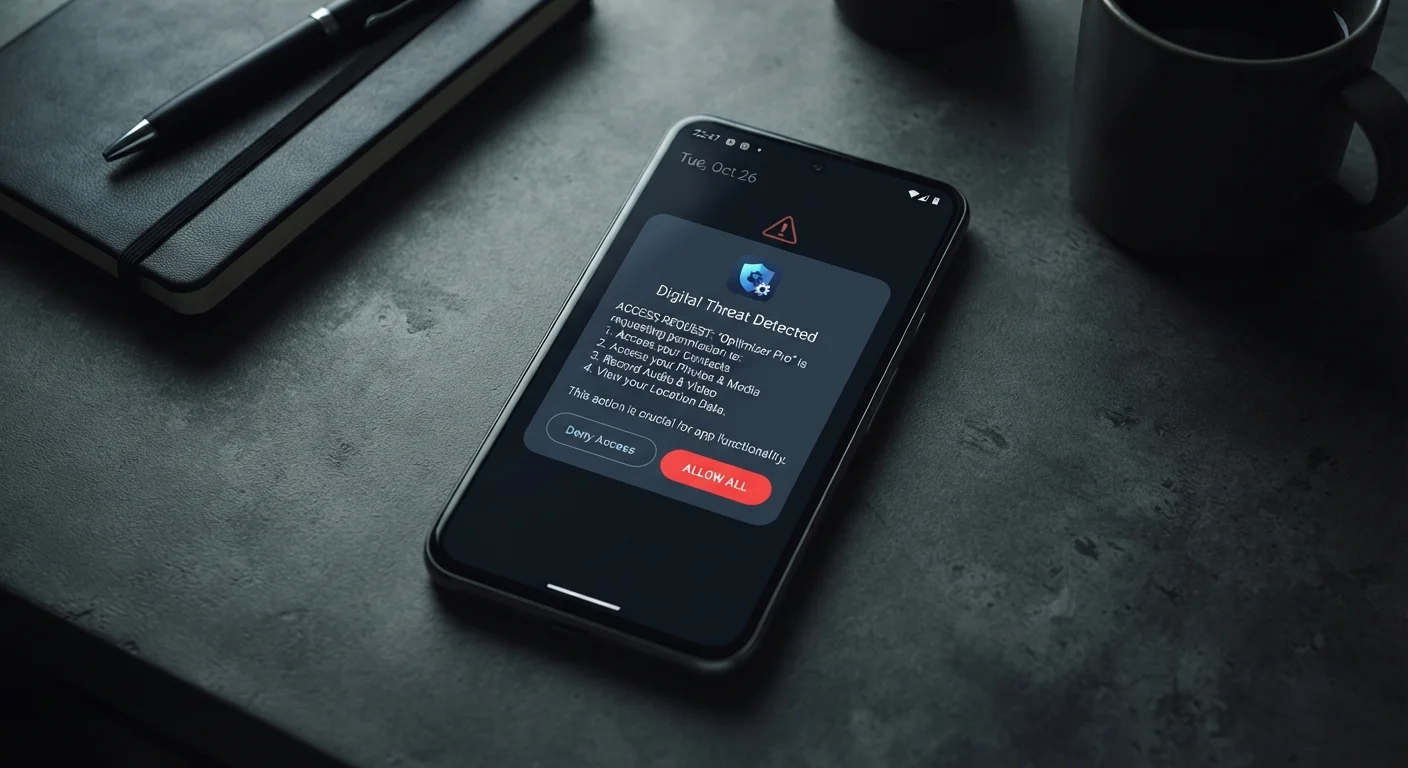
Smartphone displaying an app permission request dialog with suspicious access options highlighted

Key Takeaways

Apps in official stores can still collect excessive data or behave deceptively.
Permissions that don't match an app's stated purpose are one of the clearest warning signs.
Vague privacy policies, aggressive ads, and unexplained battery drain are all red flags worth investigating.
You can remove or restrict apps at any time — you're never locked in.
A few minutes of scrutiny before installing can save significant privacy headaches later.
15–30 min

Summary

18 items · 15–30 minutes

Why Even 'Official' Apps Deserve Scrutiny

Most people assume that if an app made it onto the Apple App Store or Google Play, someone already checked it for safety. That's partially true — both platforms screen for outright malware — but screening doesn't guarantee an app is honest about how it uses your data, your device's resources, or your attention.

Plenty of legitimate-looking apps quietly collect more information than they need, display misleading advertising, or lock useful features behind confusing paywalls. Understanding what to look for before and after installing puts you in a much stronger position. This checklist walks you through the warning signs that an app may be doing more than it advertises.

For a deeper look at how permissions work at the system level, see what app permissions actually mean. And if you're specifically evaluating apps that handle personal or emotional data, the honest trade-offs of mental wellness apps is worth reading alongside this guide.

Before You Install

Check how many reviews the app has and read a sample of the negative ones — a flood of generic five-star reviews with no detail is a common signal of manipulation. Must
Look up the developer's name and verify they have a real, findable web presence separate from the app store listing. Must
Review the list of requested permissions before tapping Install, and ask yourself whether each one is actually needed for what the app does. Must
Check the app's listed data safety or privacy label in the store and note what categories of data it says it collects or shares. Should
Search the app's name plus words like 'data collection,' 'lawsuit,' or 'complaint' to surface any known issues before you commit. Should

Reading the Privacy Policy

Locate the actual privacy policy — if it's missing entirely or is a dead link, treat this as a serious red flag. Must
Look for vague language like 'we may share your information with partners' without specifying who those partners are or why. Must
Check whether the policy explains how to request deletion of your account and data, and how long the process takes. Should
Note whether the policy says it can change without direct notification to you — this is common but worth knowing. Nice to have

After Installing — Behavior to Monitor

Notice whether the app requests permissions it didn't disclose upfront, especially during routine use rather than features that obviously require them. Must
Check your phone's battery usage settings to see if the app is consuming significant power in the background when you're not actively using it. Should
Monitor mobile data usage for the app — unusually high data consumption while the app runs in the background can indicate it's sending information elsewhere. Should
Pay attention to whether ads you see inside or outside the app suspiciously reflect conversations or searches you haven't typed — this may indicate microphone or extensive behavioral tracking. Should
Notice if the app asks you to create an account or hand over an email address before you've had any chance to evaluate whether it works. Nice to have

Deceptive Design Patterns

Watch for dark patterns in the interface — such as making the 'Decline' or 'No Thanks' option tiny, gray, or hidden while 'Accept' is large and prominent. Must
Be cautious of subscription flows that are easy to start and deliberately difficult to cancel, requiring multiple steps or a phone call. Must
Identify whether the free version actively degrades functionality over time in ways not disclosed upfront, pressuring upgrades rather than simply limiting features from the start. Should
Note if the app displays countdown timers or 'limited offer' language that resets each time you open it — these are manufactured urgency tactics. Nice to have

What to Do If an App Raises Red Flags

Spotting a warning sign doesn't always mean an app is dangerous — context matters. A navigation app asking for location access makes sense; a flashlight app asking for the same is harder to justify. Use your judgment and lean toward caution when the purpose isn't obvious.

Deleting an App Doesn't Always Delete Your Data

Removing an app from your phone stops it from collecting new data, but it doesn't automatically erase information the app has already sent to its servers. If you want your data removed, you typically need to request account and data deletion through the app's settings or the developer's website before uninstalling. Check the app's privacy policy for the specific process, and note that response times and completeness vary significantly by developer.

If an app passes most of these checks but still feels uncomfortable, you have options. You can deny specific permissions without uninstalling, restrict background data usage in your phone's settings, or simply delete the app and find a better-vetted alternative. You're never obligated to keep an app on your device.

For a broader audit of what your existing apps may already be doing quietly, privacy settings that are easy to overlook covers the defaults most people never change. And if you use any dating or social platforms, how dating apps use your data and attention is a clear-eyed companion read.

Required

Your Phone's App Permission Manager

Found in Settings on both Android and iOS, this lets you review and revoke what each installed app is allowed to access — camera, microphone, location, contacts, and more.

Required

Your Phone's Battery & Data Usage Screen

Built-in to both major mobile platforms, this shows you exactly how much battery and mobile data each app consumes, including in the background.

Optional

A plain-language privacy policy reader (e.g. Terms of Service; Didn't Read)

Community-maintained services summarize and grade common app and website privacy policies, giving you a quicker read on problematic clauses.
Tech Explained Editorial Team is the collective byline for our editorial team and contributor network. Articles published under this byline or an editorial pen name are researched, written, and reviewed according to our editorial standards for clarity, consistency, and independence before publication.

View all articles by Tech Explained Editorial Team →
Disclaimer: The content on this site is for informational purposes only and is not a substitute for professional advice. Always consult a qualified professional for guidance specific to your situation.

Recently Published