

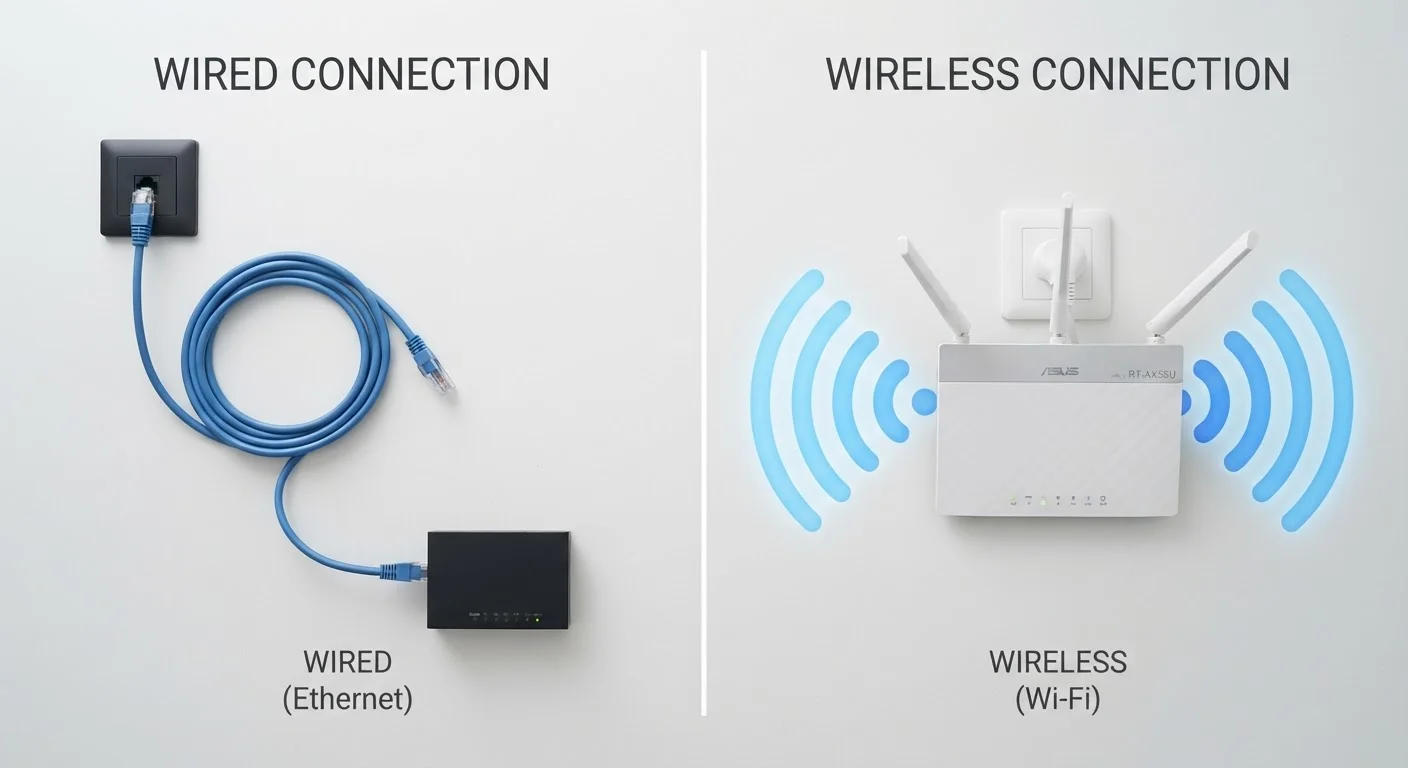
Key Takeaways
Option A
Wired (Ethernet)
The stable, predictable workhorse of home networking.
Best for: Devices that stay in one place and demand consistent, low-latency performance - like desktop computers, gaming consoles, and streaming boxes.
Option B
Wireless (Wi-Fi)
The flexible, cable-free standard for everyday connectivity.
Best for: Mobile devices and anything that moves around - laptops, phones, tablets, and smart home gadgets.
If you play online games or do video calls that can't tolerate lag
Wired (Ethernet)
Ethernet's lower and more consistent latency reduces dropped frames and connection hiccups that wireless signals are more prone to.
If you need to connect phones, tablets, or devices you carry room to room
Wireless (Wi-Fi)
Wi-Fi is the only practical option for mobile devices; modern standards like Wi-Fi 6 deliver speeds sufficient for streaming and browsing.
If you work from home and upload or download large files regularly
Wired (Ethernet)
A wired connection provides consistent throughput that won't fluctuate mid-transfer the way a wireless signal can when other devices join the network.
If you're setting up smart home devices like bulbs, sensors, or thermostats
Wireless (Wi-Fi)
Smart home devices are designed around Wi-Fi and don't require the performance advantages of Ethernet; wireless keeps installation practical.
If you just browse the web, stream video, and check email
Wireless (Wi-Fi)
For light everyday use, Wi-Fi is entirely adequate and eliminates the inconvenience of running cables to every room.
How Each Connection Type Actually Works
Every internet connection at home starts the same way: data travels from the wider internet into your router, which then distributes it to your devices. What differs is how that last stretch of the journey happens.
With Ethernet, a physical cable - typically a Category 5e or Category 6 cable - carries data as electrical signals between your router and your device. Because the signal travels along a conductor with a fixed path, it's highly resistant to outside interference. The cable either works or it doesn't; there's very little middle ground.
With Wi-Fi, your router broadcasts data as radio waves - electromagnetic signals at either 2.4 GHz or 5 GHz frequency bands (or both, depending on the router). Your device's wireless adapter picks up those waves and decodes them. The process works remarkably well, but radio waves are affected by their environment in ways electrical signals in a cable are not. Walls absorb them, microwaves can interfere at 2.4 GHz, and the more devices competing for airtime on the same channel, the more they have to take turns. For a deeper look at how radio transmission works, see our Wi-Fi explainer without the jargon.
| Criterion | Wired (Ethernet) | Wireless (Wi-Fi) |
|---|---|---|
| Signal medium | Electrical signal through copper cable | Radio waves through air |
| Typical latency | 1-5 ms under normal conditions | 5-30 ms, varies with environment |
| Interference susceptibility | Very low - cable is shielded | Moderate - walls, devices, neighbors |
| Connection consistency | Highly stable | Variable by distance and congestion |
| Device mobility | None - requires physical cable | Full freedom of movement |
| Setup complexity | Cable run required | No cabling needed |
| Best suited for | Stationary, performance-critical devices | Mobile devices, smart home gear |
Speed, Latency, and Reliability: Where the Differences Show Up
Raw speed - how many megabits per second your connection can carry - is rarely the decisive factor in daily life. Most home internet plans are the actual bottleneck, not the cable or Wi-Fi standard itself. Where wired and wireless connections genuinely diverge is in latency and consistency.
Latency is the time it takes a signal to make a round trip - from your device to a server and back. Ethernet connections typically measure in the low single-digit milliseconds under normal home conditions. Wi-Fi adds a small but real amount of overhead: radio signals must be encoded, broadcast, and decoded, and each device on the network must negotiate access to the shared airspace. Under light use this is barely noticeable. During a live video call, a fast-paced online game, or a real-time financial transaction, the difference can be felt.
Consistency matters just as much. A wired connection running at 200 Mbps tends to stay close to that figure. A Wi-Fi connection at a theoretical 200 Mbps may deliver that in a clear, close environment - but performance can drop as you move further from the router, as neighbors' networks add congestion, or as more devices join your home network simultaneously. For context on security considerations that come specifically with wireless use, see what the evidence says about Wi-Fi risks.
~1-5 ms
Typical Ethernet round-trip latency
Home Ethernet connections commonly achieve single-digit millisecond latency under normal conditions, according to general networking benchmarks.
2.4 GHz / 5 GHz
Wi-Fi frequency bands in common use
2.4 GHz travels farther but is more prone to interference; 5 GHz offers higher speeds at shorter range - most modern routers broadcast both.
9.6 Gbps
Maximum theoretical speed of Wi-Fi 6
Wi-Fi 6 (802.11ax) raises the theoretical ceiling significantly, though real-world speeds depend on router hardware, device support, and environment.
Practical Scenarios: When to Choose Which
Understanding the physics helps, but most people just want to know what to plug in where. Here's how the trade-offs play out in real situations.
Desktop computers and home offices: If the device never moves and sits within reasonable cable distance of your router, Ethernet is almost always the better choice. You eliminate wireless variability entirely for your most demanding tasks.
Laptops and mobile devices: These move around by design. Wi-Fi is the practical answer, and modern Wi-Fi 6 (also called 802.11ax) handles streaming, video calls, and large file syncing well for the majority of users.
Smart home ecosystems: Devices like smart bulbs, thermostats, and door sensors use Wi-Fi (or sometimes Zigbee or Z-Wave, which are separate short-range protocols) because running Ethernet to every fixture would be impractical. See how these devices fit into the broader picture in our guide to smart home devices and your home network.
Streaming boxes and gaming consoles: These often sit near a TV that's near a wall - and near enough to a router for a short Ethernet run to be feasible. Given that gaming and 4K streaming both benefit from low latency and steady throughput, a cable here is a worthwhile consideration.
Powerline Adapters: A Middle Ground
If running a new Ethernet cable isn't practical - say, through finished walls or across multiple floors - powerline adapters offer a compromise. They use your home's existing electrical wiring to carry network data between two adapter units. Performance varies depending on the quality and age of your wiring, but for devices that need more stability than Wi-Fi provides without a cable run, powerline adapters are worth understanding as an option.