

Key Takeaways
How a Phishing Attack Is Put Together
Phishing is a form of social engineering: it works by impersonating a trusted source and exploiting human psychology rather than exploiting a technical vulnerability. Understanding how these attacks are constructed helps you recognize the patterns, regardless of how polished the presentation looks.
A typical phishing campaign starts with an attacker choosing a target organization to impersonate - a bank, a delivery company, a government agency, or a widely used platform. They then copy that organization's branding, craft a convincing pretext (a failed delivery, a suspicious login, an unpaid invoice), and mass-distribute the message. The goal is simple: get you to click a link that leads to a fake login page, open an attachment that installs malware, or reply with sensitive information.
More sophisticated variants go further. Spear phishing (targeted at specific individuals) and whaling (targeted at executives or high-value individuals) incorporate personal details - your name, employer, recent activity - harvested from social media, data breaches, or professional directories. These attacks are harder to spot precisely because they feel personal.
Spear Phishing Is Highly Targeted
Unlike generic phishing blasts, spear phishing uses your real name, employer, recent purchases, or other personal details to appear credible. These messages can fool even cautious readers. If an unexpected message references specific details about you, treat that as a reason for more scrutiny - not less.
Smishing (phishing via SMS) and vishing (phishing via voice calls) follow the same psychological playbook. A text claiming your package is delayed, or a caller claiming to be your bank's fraud department, may be pursuing the same objective as a phishing email. The detection principles below apply across all these formats.
For a broader look at how apps can also overstep boundaries, see signs an app may be doing more than it claims.
Step-by-Step: Evaluating a Suspicious Message
Before you click anything in a message that seems off - or even one that seems routine - work through this process. It takes less than a minute once practiced.
What you will need
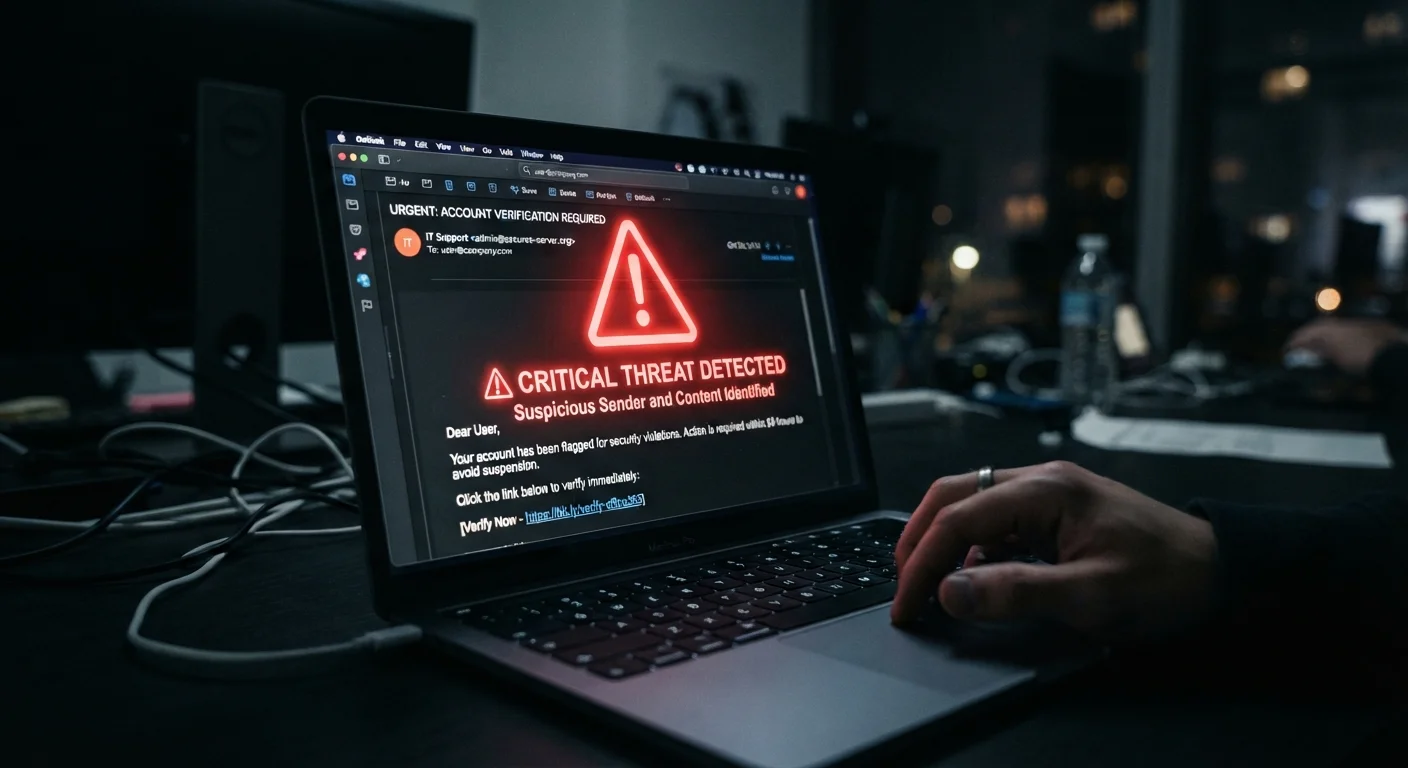
Examine the sender's address - not just the display name
Email clients often show a friendly display name (e.g., "PayPal Support") in large text while hiding the actual sending address. Click or tap on that name to expand the full address. A legitimate PayPal email will come from a @paypal.com domain; a phishing attempt might use @paypa1-support.net or any unrelated domain. Look for misspellings, added words, or completely unrelated domains.
Read the greeting and overall tone carefully
Phishing messages frequently use generic openers like "Dear Customer" or "Dear User" because attackers send millions of copies and don't know your name. Legitimate services you have accounts with typically address you by the name on the account. Also read for unnatural phrasing, inconsistent capitalization, or grammar that reads as machine-translated - these remain common tells even as attackers improve.
Identify artificial urgency or fear-based language
Phrases like "Your account will be suspended in 24 hours," "Immediate action required," or "Unauthorized login detected" are designed to override your critical thinking. Attackers want you to react before you reflect. Pause when you feel pressured - legitimate organizations give you time to verify through official channels.
Hover over every link before clicking
On a desktop, hover your mouse pointer over any link in the message without clicking. Your browser or email client will display the real destination URL - usually in a bar at the bottom of the screen. Compare it carefully to what the link text claims. On mobile, press and hold a link to reveal a preview of the actual URL before tapping. If the destination doesn't match the claimed organization's known domain, don't proceed.
Check for mismatched or low-quality branding
Phishing emails often copy logos and visual layouts from real organizations, but quality frequently falls short: pixelated images, slightly off brand colors, fonts that don't quite match, or footer text that references a completely different company. Compare the message's visual design against a known legitimate email from the same sender if you have one on file.
Verify independently before taking any action
If a message appears to be from your bank, a government agency, or a service you use, close the message and contact the organization through a channel you already trust - the phone number on the back of your card, the official website you normally visit, or the app you downloaded from a verified source. Do not use any contact information provided within the suspicious message itself.
Never Enter Credentials From an Email Link
If a message asks you to log in, go directly to the organization's official website by typing the address yourself - do not click through. Even a perfectly convincing email can route you to a fake login page designed to harvest your username and password. This single habit stops a large percentage of phishing attempts cold.
Use Your Email's Report Button
Most major email providers - including Gmail, Outlook, and Apple Mail - have a built-in 'Report phishing' or 'Report spam' option. Using it does more than protect you: it helps the provider's filters protect other users too. Make reporting a habit rather than simply deleting suspicious messages.
Once you've confirmed an account was not compromised, a full security check is worthwhile. Our personal data security audit guide walks you through that process systematically. And for ongoing account protection across platforms, see keeping your accounts safe across every app you use.
What to Do If You Think You've Already Clicked
Acting quickly matters if you suspect you've followed a phishing link or entered credentials on a fake page. Here's the priority order:
- Change your password immediately on the real organization's website - go there directly, not through any link.
- Enable or review multi-factor authentication (MFA) on the affected account. Even if your password is known, MFA can block unauthorized access.
- Check for unauthorized activity - recent logins, changed contact details, sent messages you didn't write.
- Alert the organization using contact information from their official website so they can flag any activity on your account.
- Monitor related accounts - especially if you reuse passwords, which is a significant risk factor. Review our article on why strong passwords still get compromised to understand how credential overlap creates exposure.
If financial information was entered, contact your bank or card issuer directly to report potential fraud and ask about next steps. Acting within the first hours significantly limits potential damage.