

Key Takeaways
Option A
Incognito Mode
The local privacy tool built into your browser.
Best for: Preventing your browsing history from being saved on the device you're using.
Option B
VPN (Virtual Private Network)
The network-level shield that masks your traffic online.
Best for: Hiding your internet activity from your ISP, network operator, or external observers.
If you want to browse without leaving traces on a shared or borrowed device
Incognito Mode
Incognito prevents the browser from storing your history, cookies, and logins locally - exactly what matters when others can access the same device.
If you're on a public Wi-Fi network and want to protect your data in transit
VPN (Virtual Private Network)
A VPN encrypts your connection so that others on the same network - and the network operator - cannot read your traffic.
If you're concerned about your Internet Service Provider tracking your browsing habits
VPN (Virtual Private Network)
A VPN routes your traffic through an encrypted tunnel, preventing your ISP from seeing which sites you visit.
If you want to sign into a second account without cookie conflicts
Incognito Mode
Incognito sessions are isolated from your regular browser session, so they carry no existing cookies or saved logins.
If you want stronger all-around privacy while browsing
VPN (Virtual Private Network)
A VPN addresses network-level exposure that incognito mode cannot touch, though no single tool eliminates all privacy risks.
The Core Difference: Where Each Tool Works
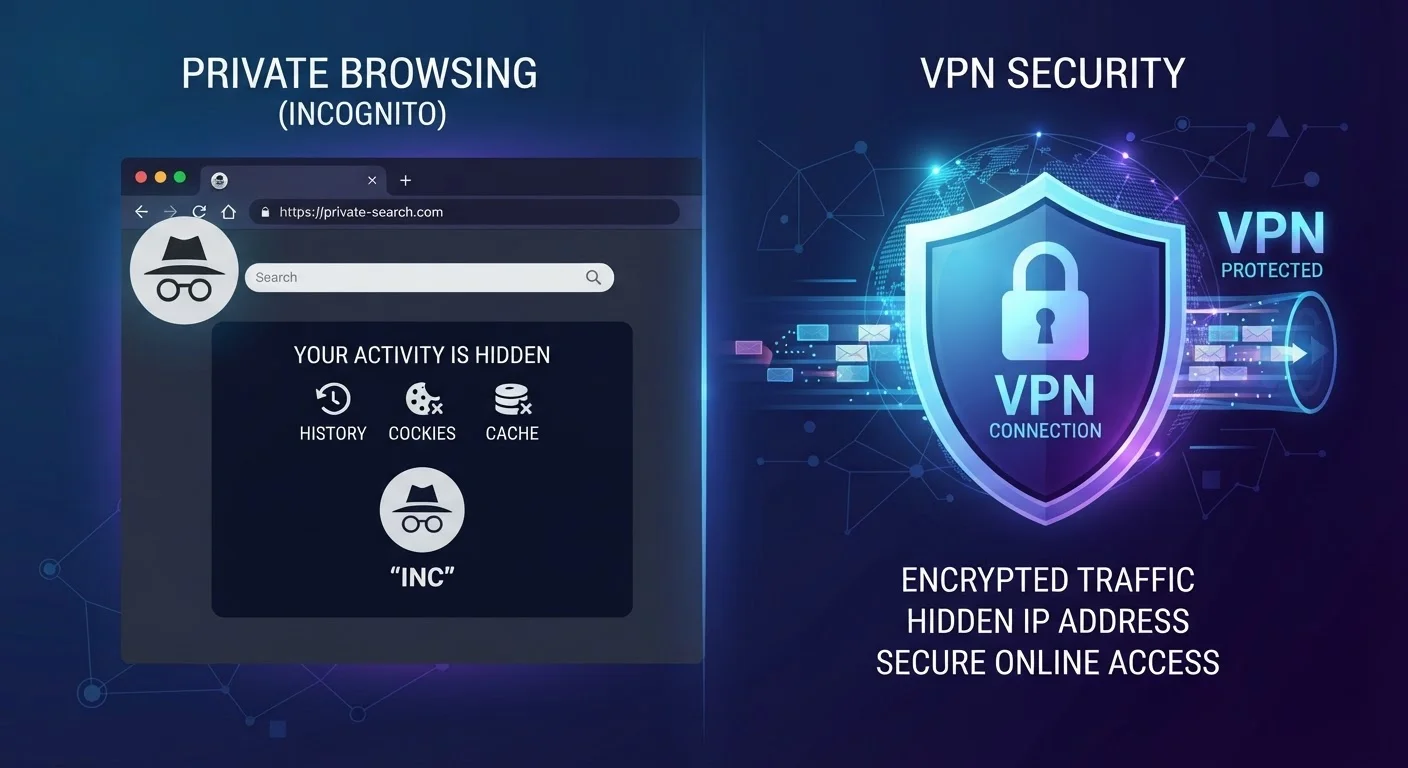
Incognito mode and VPNs are both described as privacy tools, which is why people often assume they do the same job. They don't. They operate at completely different layers of your digital experience.
Incognito mode (called Private Browsing in Firefox and Safari) is a feature built into your browser. When you open an incognito window, your browser stops recording your history, stops saving cookies after the session ends, and doesn't store form data or passwords. That's it. Everything that happens beyond your device - your traffic traveling across the internet - is completely unaffected.
A VPN, or Virtual Private Network, works at the network level. It creates an encrypted tunnel between your device and a VPN server, routing your traffic through that server before it reaches the wider internet. This masks your real IP address and makes your activity much harder for outside parties - your ISP, public Wi-Fi operators, or network-level eavesdroppers - to observe. If you're new to these concepts, our plain-English privacy starting point is a helpful foundation before going deeper.
| Criterion | Incognito Mode | VPN |
|---|---|---|
| Where it operates | Inside your browser only | At the network level |
| Hides browsing history on device | Yes | No |
| Hides traffic from your ISP | No | Yes (encrypted tunnel) |
| Masks your IP address from websites | No | Yes |
| Blocks cookies after session ends | Yes | No |
| Protects on public Wi-Fi | No | Yes |
| Requires additional software | No - built into browsers | Yes - separate app or service |
| Makes you fully anonymous | No | No |
What Incognito Mode Does Not Hide
This is where a lot of people are surprised. Incognito mode does not hide your activity from:
- Your Internet Service Provider (ISP). Your ISP can still see which websites you visit and when, regardless of whether you're in incognito mode. For a fuller picture of what ISPs can observe, see what Internet Service Providers can actually see about you.
- The websites you visit. Sites still receive your IP address, which can be used to identify your general location and, in some cases, your identity.
- Your employer or school network. If you're on a managed network, administrators may be able to log traffic regardless of your browser mode.
- Trackers and fingerprinting scripts. Many websites use browser fingerprinting - a technique that identifies your device based on its configuration - which incognito mode does not block.
Incognito Mode Doesn't Mean Invisible
Google itself acknowledged in a 2023 lawsuit settlement that Chrome's incognito mode still collected user data through its analytics and advertising tools embedded on third-party sites. The mode's own disclaimer warns that activity may still be visible to websites visited, employers, and ISPs. Reading that disclaimer carefully is worthwhile before assuming incognito provides meaningful anonymity.
In short, incognito mode is a local privacy feature. It protects what's stored on your device, not what's transmitted over the network.
What a VPN Does Not Hide
VPNs offer meaningfully stronger network-level privacy, but they are not a magic cloak. Understanding their limits is just as important as understanding their strengths. For a thorough breakdown, VPNs explained: what they do and don't covers this in detail.
A VPN does not hide your activity from:
- The VPN provider itself. Your traffic passes through their servers. A VPN provider with poor privacy practices can log and share your data.
- Websites you log into. If you sign into Google or Facebook, those platforms know who you are regardless of your IP address or VPN status.
- Malware on your own device. A VPN secures data in transit, not data already compromised on your machine.
- Browser-level tracking. Cookies stored in your regular browser session, and fingerprinting scripts, still work even when a VPN is active.
~31%
Global VPN usage rate among internet users
According to GlobalWebIndex research, roughly one in three internet users worldwide has used a VPN in a given month, though awareness of its limitations varies widely.
Distinct
Browser fingerprint components tracked
Research from the Electronic Frontier Foundation shows that combinations of browser settings, fonts, and plugins can uniquely identify a device even without cookies or a known IP address.
A VPN also doesn't guarantee anonymity. It shifts who can see your traffic - from your ISP to your VPN provider - rather than eliminating visibility entirely. For foundational vocabulary around these concepts, key terms in online privacy everyone should know is a useful reference.
When Using Both Together Makes Sense
Because they operate at different layers, incognito mode and a VPN actually complement each other rather than overlap. Using both simultaneously means:
- Your browser won't store local history or cookies from the session (incognito).
- Your ISP and network operator can't see your traffic (VPN).
- Sites you visit see the VPN server's IP address, not yours (VPN).
This combination is particularly useful on public Wi-Fi networks - in hotels, airports, or cafes - where both local device privacy and encrypted transit matter. It's also relevant when using a device that others in your household might access.
That said, neither tool - alone or together - makes you fully anonymous online. Logged-in accounts, browser fingerprinting, and the inherent trust you place in your VPN provider are all factors that remain. Understanding what HTTPS does and doesn't protect adds another useful layer to this picture.
The most effective approach is to treat online privacy as a set of layered decisions rather than a single tool that solves everything.