

Key Takeaways
Blocks most automated credential-stuffing attacks
When attackers use lists of stolen username-password pairs to try logging into accounts en masse, 2FA stops them cold - they have the password but not the second factor.
Protects you even after a data breach
If a service you use is breached and your password is exposed, 2FA prevents attackers from immediately accessing your account with those leaked credentials.
Free and widely available on most platforms
The majority of major services - email, banking, social media - support 2FA at no additional cost, making it one of the highest-value security steps available.
Provides an alert when someone has your password
Many 2FA prompts notify you of login attempts, giving you a heads-up that your password may be compromised before any actual breach occurs.
Hardware keys offer near-phishing-proof protection
Physical security keys verify the exact site you're logging into, making them resistant to phishing pages that mimic legitimate login screens.
Losing your second factor can lock you out
If you lose your phone or forget your authenticator app when switching devices, regaining access can be a slow and frustrating process. Saving backup codes when setting up 2FA prevents this.
SMS codes are vulnerable to SIM-swapping
Text-message-based 2FA is the most common method but also the most susceptible to carrier-level attacks, where fraudsters redirect your phone number to a device they control.
Adds friction to every login
The extra step is by design, but on frequently used apps or shared devices, the constant prompts can feel burdensome - leading some users to disable 2FA altogether.
Phishing can still capture one-time codes
Sophisticated phishing sites can prompt you for a code in real time and relay it instantly to the real service. Authenticator-app codes help, but only hardware keys fully close this gap.
Setup and recovery options vary widely by service
Some platforms make 2FA easy to configure and recover; others bury the settings or offer limited backup options, creating inconsistent experiences across accounts.
Our Verdict
Two-factor authentication is one of the most effective steps an everyday user can take to protect online accounts. The tradeoffs - added friction, occasional lockouts, and varying levels of protection by method - are real but manageable with a little preparation. The goal isn't perfection; it's raising the bar high enough that most automated attacks and opportunistic hackers move on.
Anyone who stores sensitive information online - from banking and email to social media - and wants a meaningful, practical layer of protection beyond a password.
What Two-Factor Authentication Actually Does
Two-factor authentication (2FA) requires you to prove your identity in two distinct ways before gaining access to an account. Typically, that means something you know (your password) plus something you have (a code sent to your phone or generated by an app) or something you are (a fingerprint or face scan).
The logic is straightforward: even if an attacker steals your password - through a data breach, phishing scam, or malware - they still can't get in without that second factor. For a deeper look at why passwords alone often aren't enough, see why strong passwords still get compromised.
Common 2FA methods include:
- SMS text codes: A one-time code sent to your phone number.
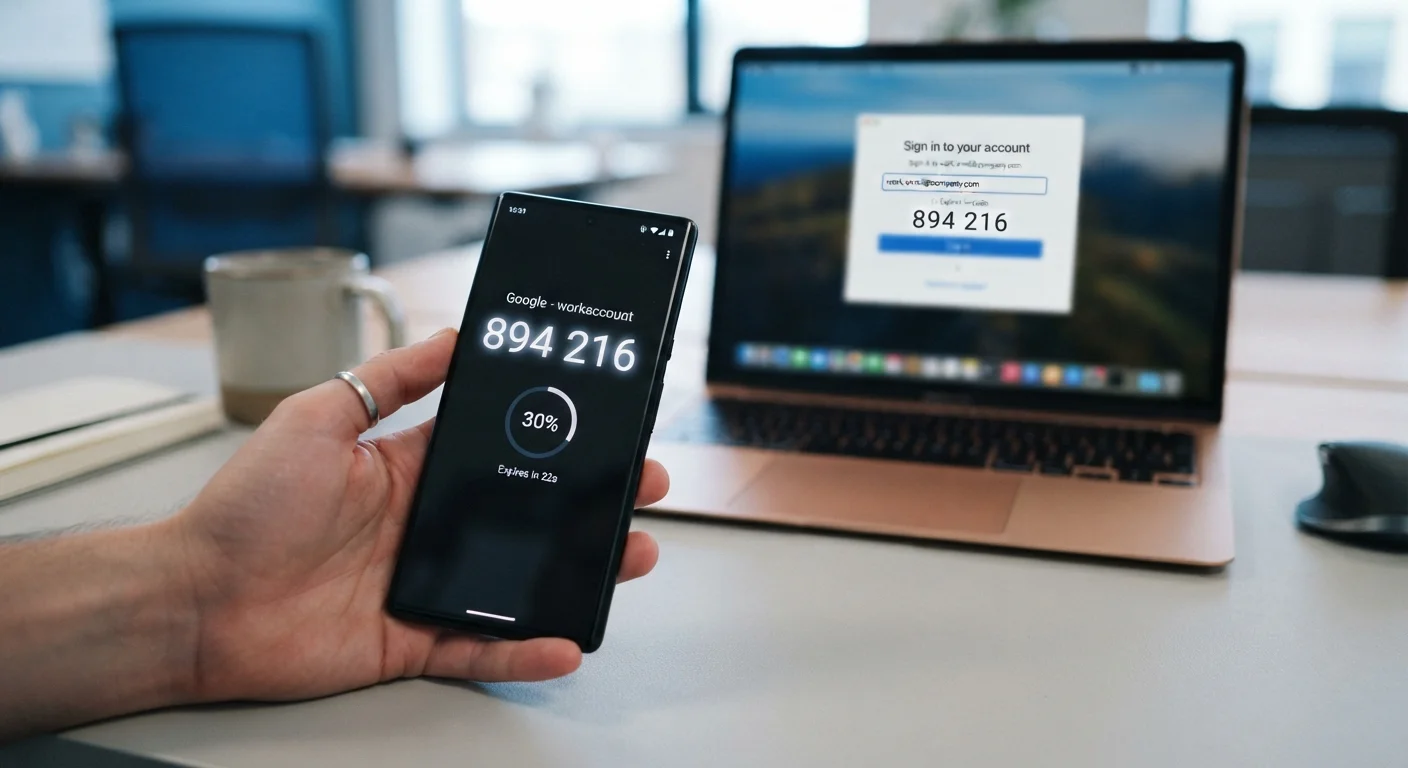
- Authenticator apps: Apps like Google Authenticator or Authy generate time-sensitive codes locally on your device.
- Hardware security keys: Physical USB or NFC devices you plug in or tap.
- Biometrics: Fingerprint or facial recognition, often used on mobile devices.
The Real Advantages of Using 2FA
The security benefits of 2FA are well-documented and significant. Here's what it genuinely offers:
Blocks most automated credential-stuffing attacks
When attackers use lists of stolen username-password pairs to try logging into accounts en masse, 2FA stops them cold - they have the password but not the second factor.
Protects you even after a data breach
If a service you use is breached and your password is exposed, 2FA prevents attackers from immediately accessing your account with those leaked credentials.
Free and widely available on most platforms
The majority of major services - email, banking, social media - support 2FA at no additional cost, making it one of the highest-value security steps available.
Provides an alert when someone has your password
Many 2FA prompts notify you of login attempts, giving you a heads-up that your password may be compromised before any actual breach occurs.
Hardware keys offer near-phishing-proof protection
Physical security keys verify the exact site you're logging into, making them resistant to phishing pages that mimic legitimate login screens.
99.9%
Account attacks blocked with MFA enabled
Microsoft has reported that enabling multi-factor authentication blocks approximately 99.9% of automated account-compromise attacks.
80%+
Data breaches involving stolen credentials
Verizon's annual Data Breach Investigations Reports consistently show that the majority of hacking-related breaches exploit weak or stolen passwords.
Beyond raw security, 2FA also provides a useful early-warning signal. Many services notify you when a login attempt is made - meaning you'll know if someone has your password even before they succeed in accessing your account.
The Drawbacks Worth Knowing Before You Set It Up
2FA isn't frictionless. Understanding its limitations helps you prepare and choose the right method for your needs.
Losing your second factor can lock you out
If you lose your phone or forget your authenticator app when switching devices, regaining access can be a slow and frustrating process. Saving backup codes when setting up 2FA prevents this.
SMS codes are vulnerable to SIM-swapping
Text-message-based 2FA is the most common method but also the most susceptible to carrier-level attacks, where fraudsters redirect your phone number to a device they control.
Adds friction to every login
The extra step is by design, but on frequently used apps or shared devices, the constant prompts can feel burdensome - leading some users to disable 2FA altogether.
Phishing can still capture one-time codes
Sophisticated phishing sites can prompt you for a code in real time and relay it instantly to the real service. Authenticator-app codes help, but only hardware keys fully close this gap.
Setup and recovery options vary widely by service
Some platforms make 2FA easy to configure and recover; others bury the settings or offer limited backup options, creating inconsistent experiences across accounts.
SMS-based 2FA carries a specific risk worth highlighting: SIM-swapping, where an attacker convinces your carrier to transfer your phone number to their device. This allows them to receive your codes. It's not a common attack against everyday users, but it has been used against higher-profile targets. Authenticator apps avoid this risk entirely because they generate codes locally without relying on your carrier.
Always Save Your Backup Codes
When you enable 2FA on any service, you'll typically be offered a set of single-use backup codes. These let you regain access if you lose your phone or authenticator app. Store them somewhere secure - a printed copy in a safe place or an encrypted note - not just on the same device you use for 2FA. Skipping this step is the most common reason people get locked out of their own accounts after setting up two-factor authentication.
Choosing the Right Method for Your Situation
Not everyone needs a hardware security key. The right 2FA method depends on what you're protecting and how much friction you can tolerate.
For most people, an authenticator app hits the practical sweet spot - it's more secure than SMS, free, and works even without cell service. For highly sensitive accounts (work logins, financial institutions, email), a hardware security key offers the strongest protection available. SMS codes, while the least secure 2FA option, are still far better than no second factor at all.
Wherever you choose to start, protecting your accounts across every app you use covers the broader habits that work alongside 2FA. You may also want to run a personal data security audit to identify which accounts most urgently need stronger protection.
One practical step that pairs well with 2FA: using a password manager to ensure each account has a unique, strong password. See how password managers work and their trade-offs for an honest assessment.